 AssetCenter
Survey every reporting tracker
Open one fleet-wide map to see which tracked assets are reporting and where their latest position was recorded.
Optional GPS tracking
Connect compatible trackers to vehicles and mobile equipment, then see their latest reported positions, addresses, speed and timestamps on one map. When the question is where an asset traveled, replay its recorded route point by point.
Add tracking where it matters · Keep the rest of your asset workflow unchanged

From fleet to individual asset
GPS positions are more useful when they stay connected to the same asset identity, assignments and lifecycle history your team already works from. New positions arrive on their own, so a map left open on a screen keeps up without a refresh.
Open one fleet-wide map to see which tracked assets are reporting and where their latest position was recorded.
See the reported address, time and speed or stationary state beside the asset tag, make and model, with a badge on the asset and the asset list showing whether the tracker is still checking in.
Choose a period, draw the available route and follow the reported position points in order with playback controls.
Tracker hardware
Use a long-life battery tracker where power is unavailable, or plug directly into a compatible vehicle. Both report into the same AssetCenter GPS map and route history.
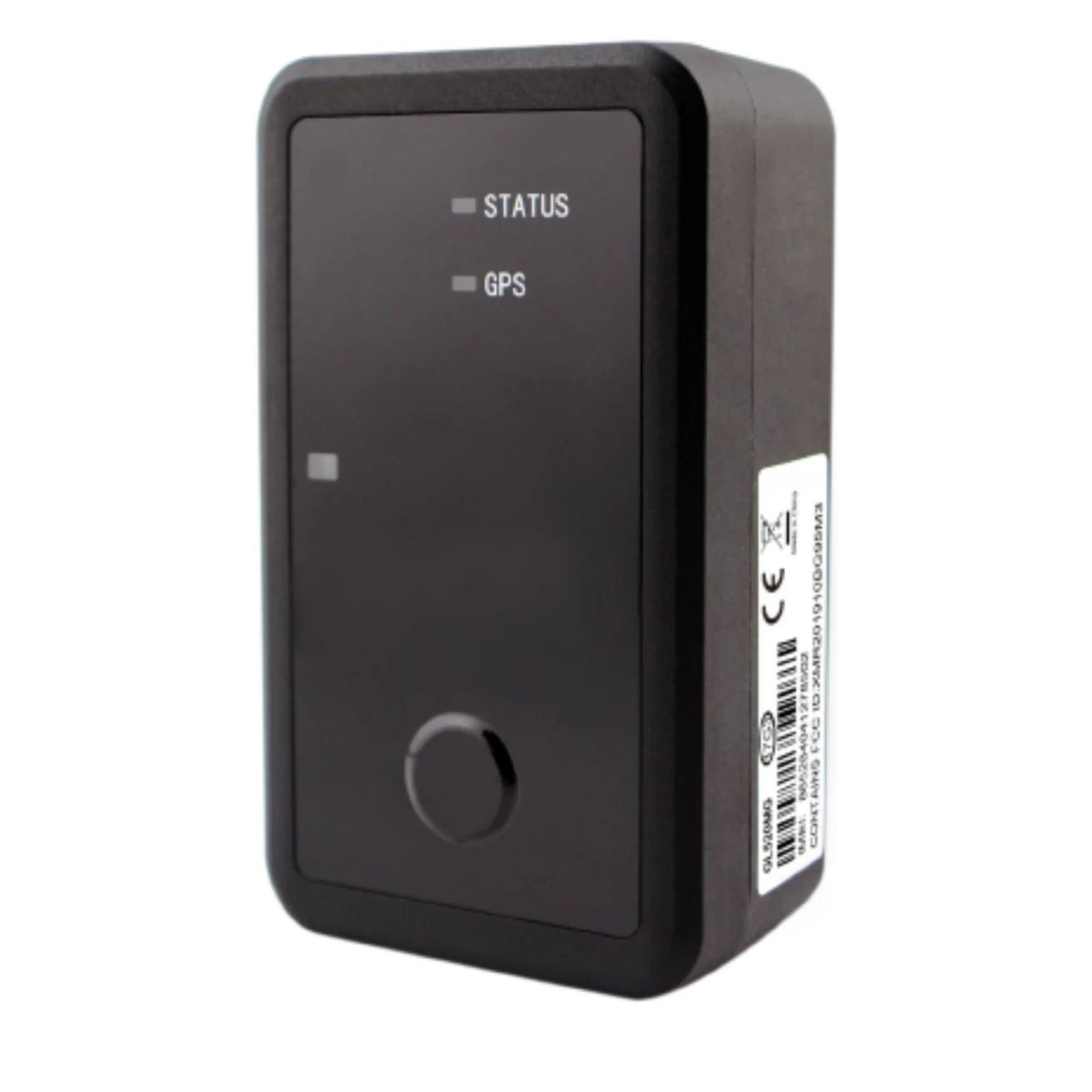
Long-life asset tracker
Long-life tracking for equipment that does not have a dependable power source.
$140
equipment
Best for trailers, machinery, containers and high-value mobile equipment
A strong fit for outdoor or remote assets where periodic position reporting and long battery life matter more than vehicle data. See the trailer GPS tracking and heavy equipment tracking guides.
GPS service
$3 / device / month
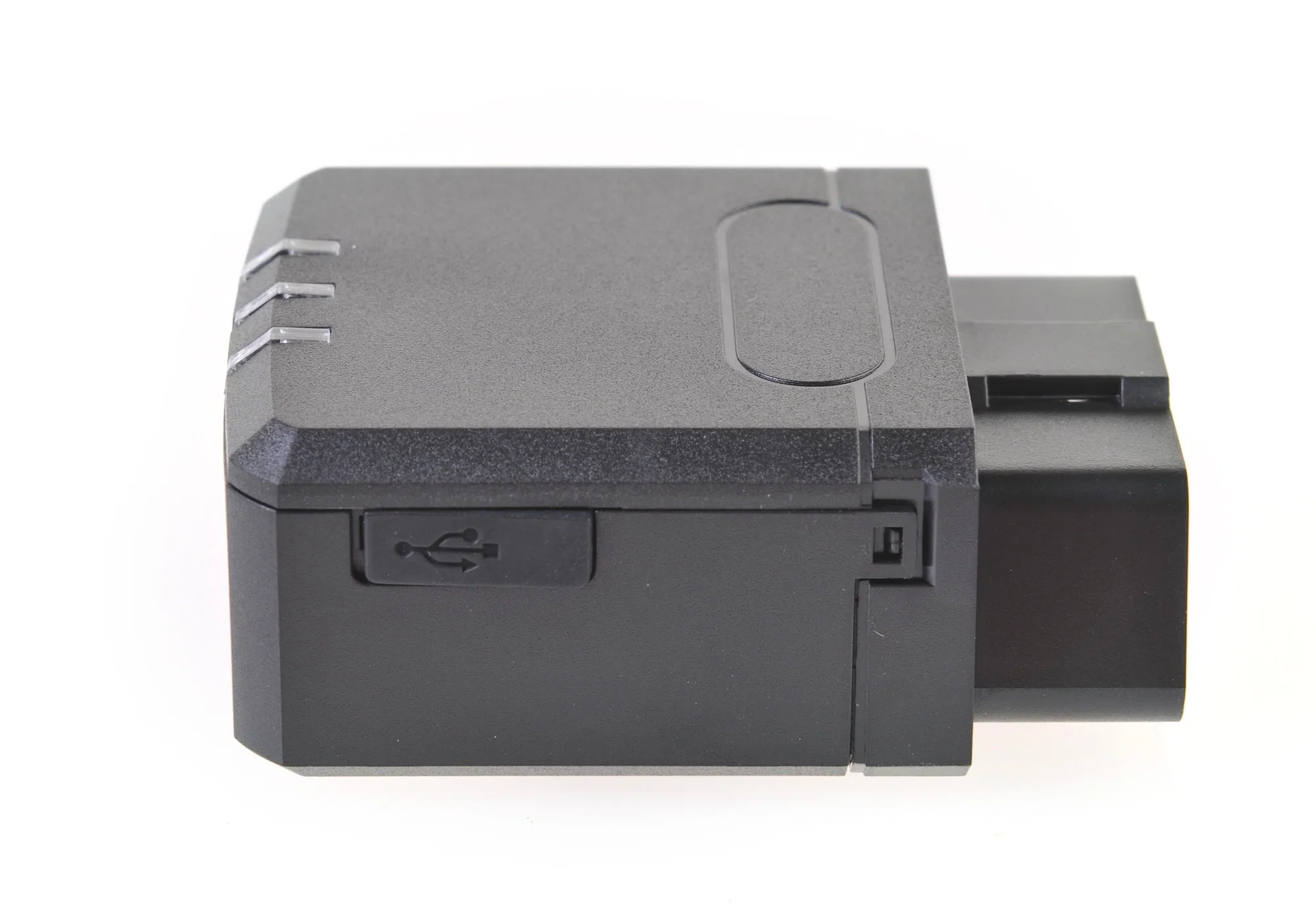
Plug-in vehicle tracker
Plug-in tracking that takes power directly from a compatible vehicle.
$160
equipment
Best for passenger vehicles, service vans and light trucks
A strong fit when you want quick installation, regular position updates and route replay without maintaining a separate tracker battery.
GPS service
$3 / device / month
Simple device pricing: buy the tracker once, then pay $3 per month for each active device. We will confirm hardware and vehicle compatibility before setup.
Help me chooseThe live operating picture
Start with every reporting tracker or search for a specific asset. The list and map stay together, so an icon on the map always has an identifiable record behind it.


Recorded route replay
Select a period to plot the positions available for that asset. The replay panel summarizes the timeframe and point count, then turns those reports into an ordered route you can play, pause or step through.
Load the range you need and see when GPS history begins for that connected asset.
Keep the start, end, route line and active position visible on the same map.
Play or pause the trip, move between points and adjust playback speed while reviewing the map.
More than a dot on a map
A tracker answers where. AssetCenter keeps that answer beside who is responsible, what the asset is and what has happened throughout its life.
The reported position stays attached to the asset tag, make and model your team recognizes.
Open the record or its assignment history when live location raises a custody or site question.
Review GPS movement without separating it from maintenance, costs, documents and the accountable timeline.
Replay stops at the day the tracker was connected. Hardware moved between assets keeps its own history, but each asset can only replay the period it was actually fitted to, so a reused tracker never exposes a previous asset's movements. How GPS tracking works.
GPS Tracking is for vehicles, trailers, machinery and other mobile assets where current position and recorded movement add useful operating context.
Connect tracking only where the extra visibility is useful. Assets without trackers continue through normal person and location assignments, scans and timeline events.
The map reflects data received from the tracker. Coverage, device power, reporting frequency and hardware conditions affect how current and complete that history is.
The goal is to add live location and route review to the asset record, not to turn AssetCenter into a dispatch, driver-management or vehicle-diagnostics suite.
Scope: GPS Tracking is not a full fleet-telematics, ELD, dispatch or engine-diagnostics platform. Confirm tracker compatibility and the reporting setup with AssetCenter before planning a deployment.
The GPS Tracking map shows the asset's latest reported position, address, report time and speed or stationary state. The all-assets view puts every reporting tracker on the same map and keeps each position connected to its AssetCenter record.
Yes. Choose a tracked asset and a period to draw its recorded route. Replay controls let you step through the position points in order, follow the asset on the map and adjust playback speed.
GPS Tracking uses positions reported by a connected tracker. The Location Map shows the current location assignment maintained by your team, while the Assignment History Map reconstructs past assignments and lifecycle events. The three views answer different location questions without mixing reported movement with accountable assignments.
No. Add trackers only to the vehicles, trailers, machinery or other mobile assets whose live position and route history you need. Every other asset can continue using person and location assignments, barcode or QR scans and the normal AssetCenter timeline.
AssetCenter currently offers the battery-powered FieldGuard for $140 and the plug-in DriveLink for $160. Each active tracker has a $3-per-device monthly GPS subscription. Contact AssetCenter to confirm the hardware, vehicle and reporting setup for your deployment.
Tell us how many vehicles and mobile assets you need to track. We will help match the right devices, reporting setup and rollout plan to your operation.
FieldGuard hardware is $140 and DriveLink hardware is $160, plus $3 per active device each month
Plan the tracker around the asset, then pair reported movement with the assignments and lifecycle history already recorded in AssetCenter.
Compare power, reporting frequency, coverage, installation, software and total operating cost before selecting a tracker.
Trailer trackingChoose and roll out a tracker for trailers that may sit for long periods without dependable onboard power.
Recorded assignmentsSee where an asset was assigned over time and inspect the lifecycle events recorded during each stay.
Current operating pictureMap the current location assignments maintained by your team and inspect the assets recorded at each site.
Complete asset workflowConnect tags, custody, assignments, maintenance, costs, files and lifecycle history for every durable asset.